Back in 2021, I wrote an article titled Why Firefox Is the Best Android Web Browser (in Turkish). But I’ve been using Brave since around 2022. There are many reasons why I moved away from Firefox, but this story alone says enough:
In this post, I’ll explain why I use Brave instead of other Chromium-based browsers.
Shields
Ad Blocking
I used uBlock Origin in medium mode for years, so I know it’s more than a simple ad blocker. If you don’t need a highly customized setup, Brave’s built-in blocker is enough.
It also includes the usual community lists like EasyList, Fanboy’s, uBO, and AdGuard, along with Brave’s own filters such as Block YouTube Shorts, Block YouTube recommended content, and Paywall blocker.
Fingerprinting Protection
The fingerprinting protection is solid and stable. As far as I know, very few browsers offer this level of protection by default without causing issues in daily use.
AMP Redirect
I’ve been using Brave for so long that I don’t even know if AMP is still around, but it used to annoy me a lot. Brave made it a non-issue for me.
Speedreader
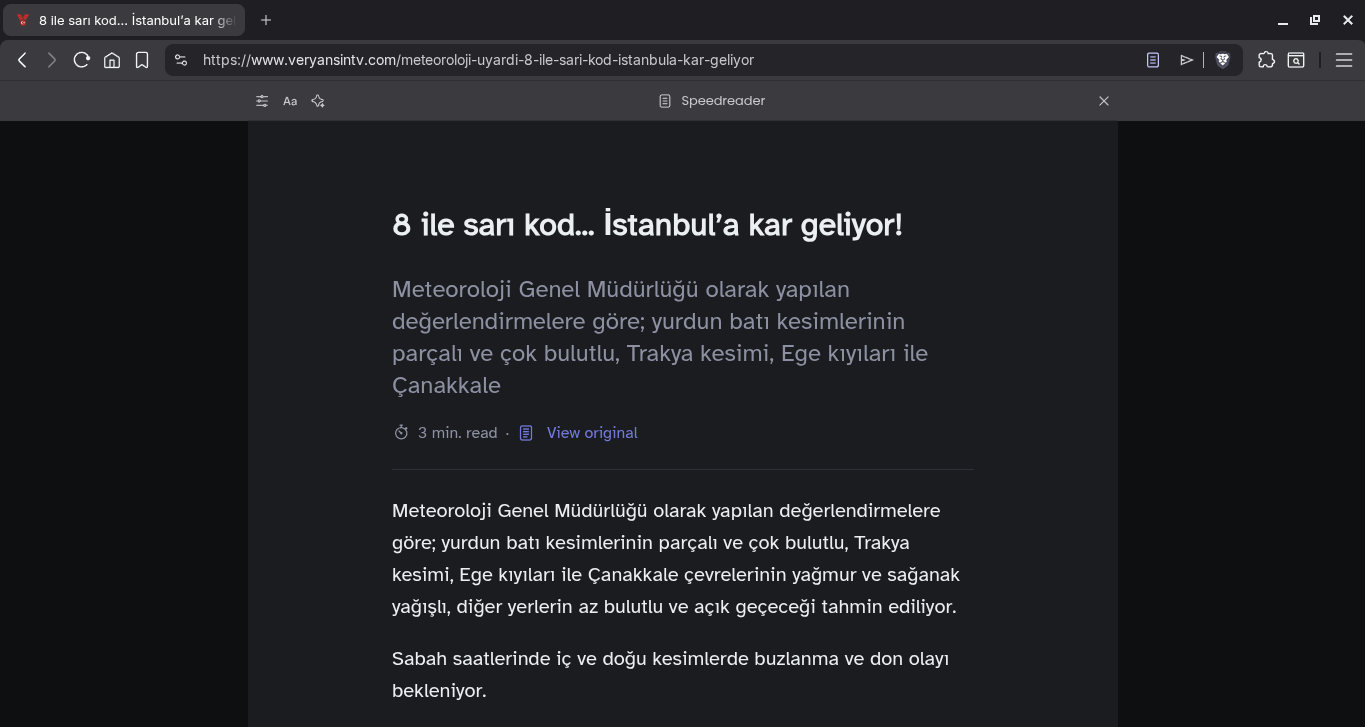
This feature turns a page into a clean reading view with just text and images. It works in both automatic and manual modes. It’s mostly stable, though it sometimes treats a homepage as an article.
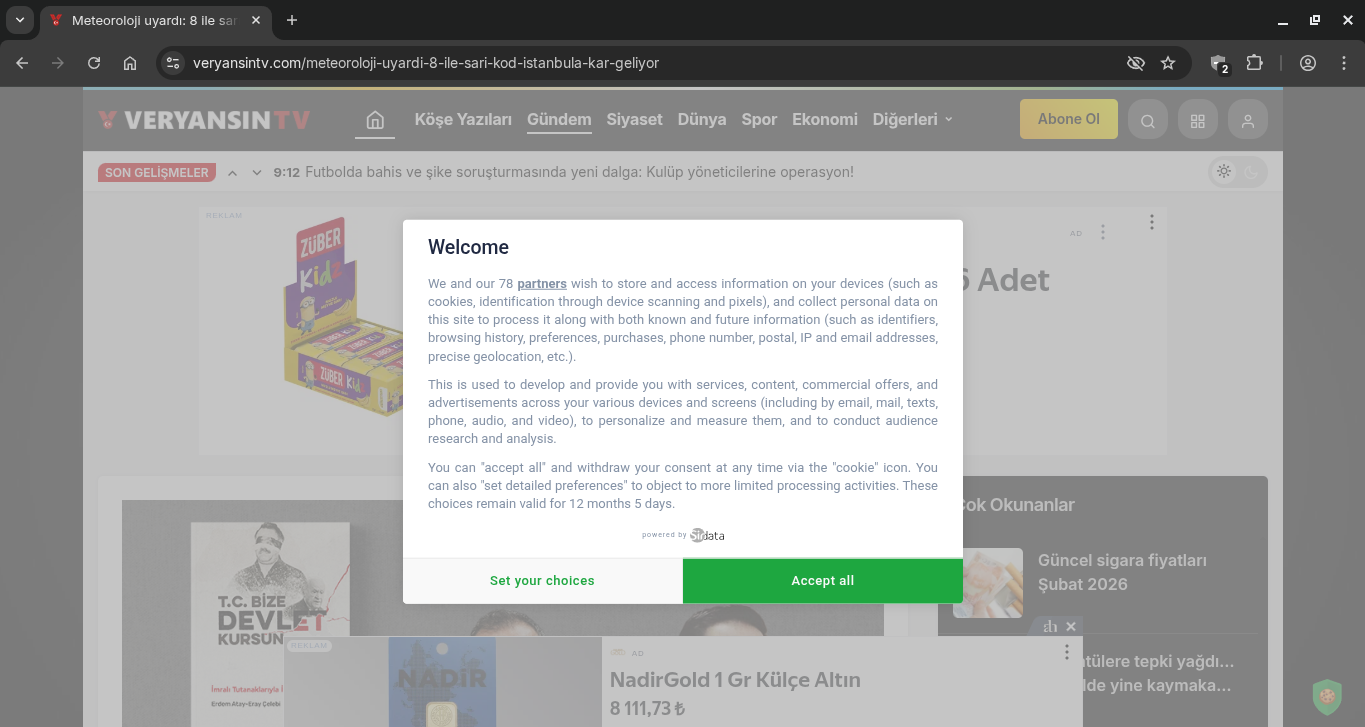
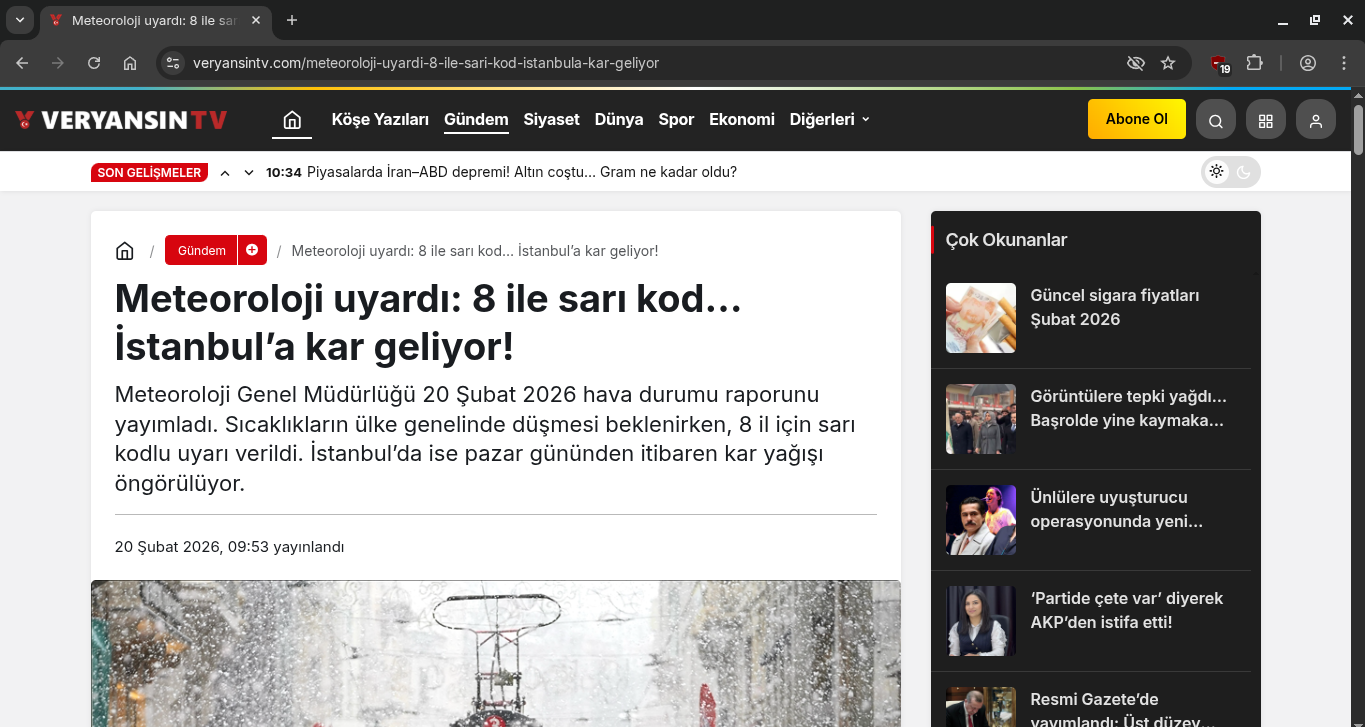
Example: Here are three screenshots from the same weather news page.
Chromium without ad blocking
Chromium with uBlock Origin Lite
Brave with Speedreader
Sync
Brave has a secure and anonymous sync feature. It works well most of the time, but I have a few complaints:
- When I send a link from Linux to Android, the notification sometimes arrives late. If I don’t want to wait, I restart the browser or just send it again.
- Password sync is enabled by default, which I don’t think is a good idea.
Wayback Machine Integration (Desktop)
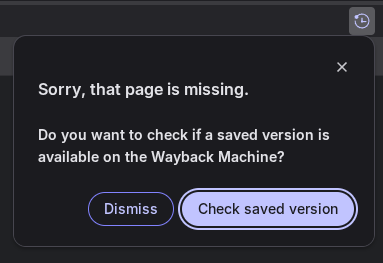
If a page returns 404, 410, or 451, Brave shows a small prompt and offers to open the latest Archive.org snapshot.
Built-in Tor (Desktop)
I use Brave’s built-in Tor to bypass access restrictions.
Warning: If you actively use Tor and actually need anonymity, you should use Tor Browser instead.
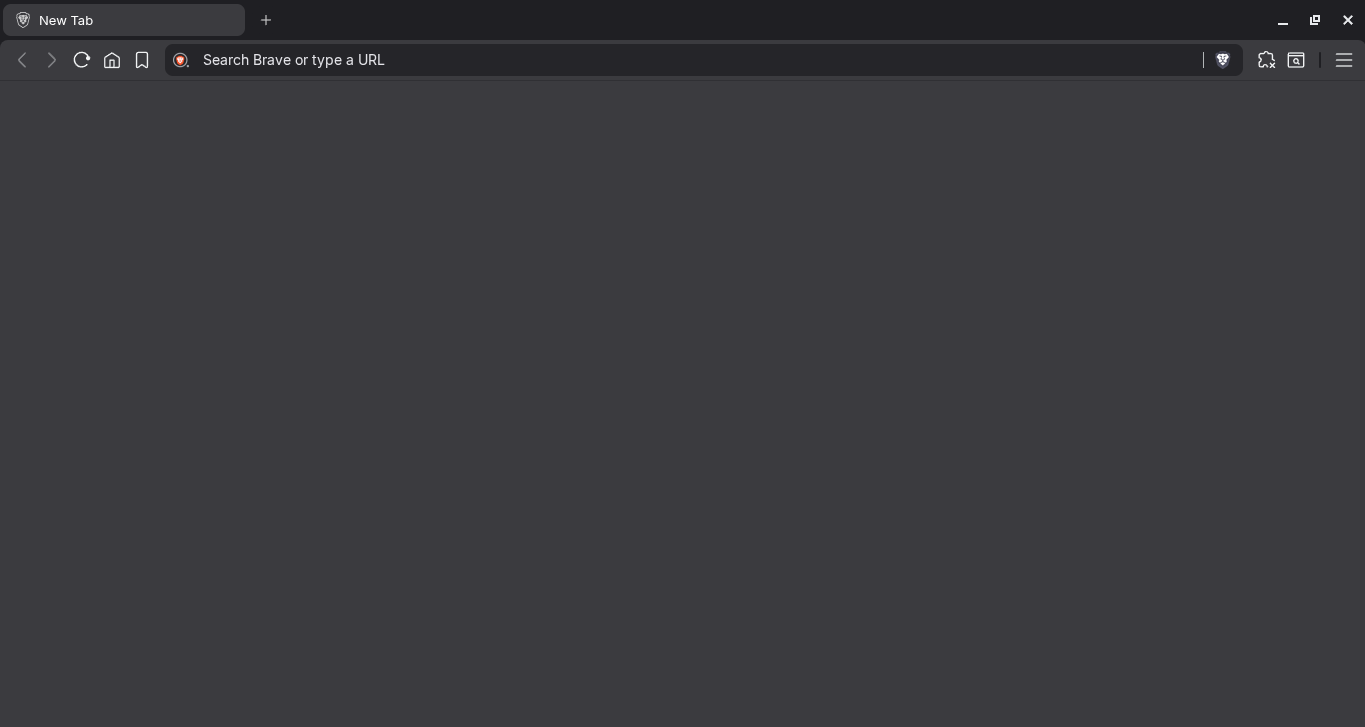
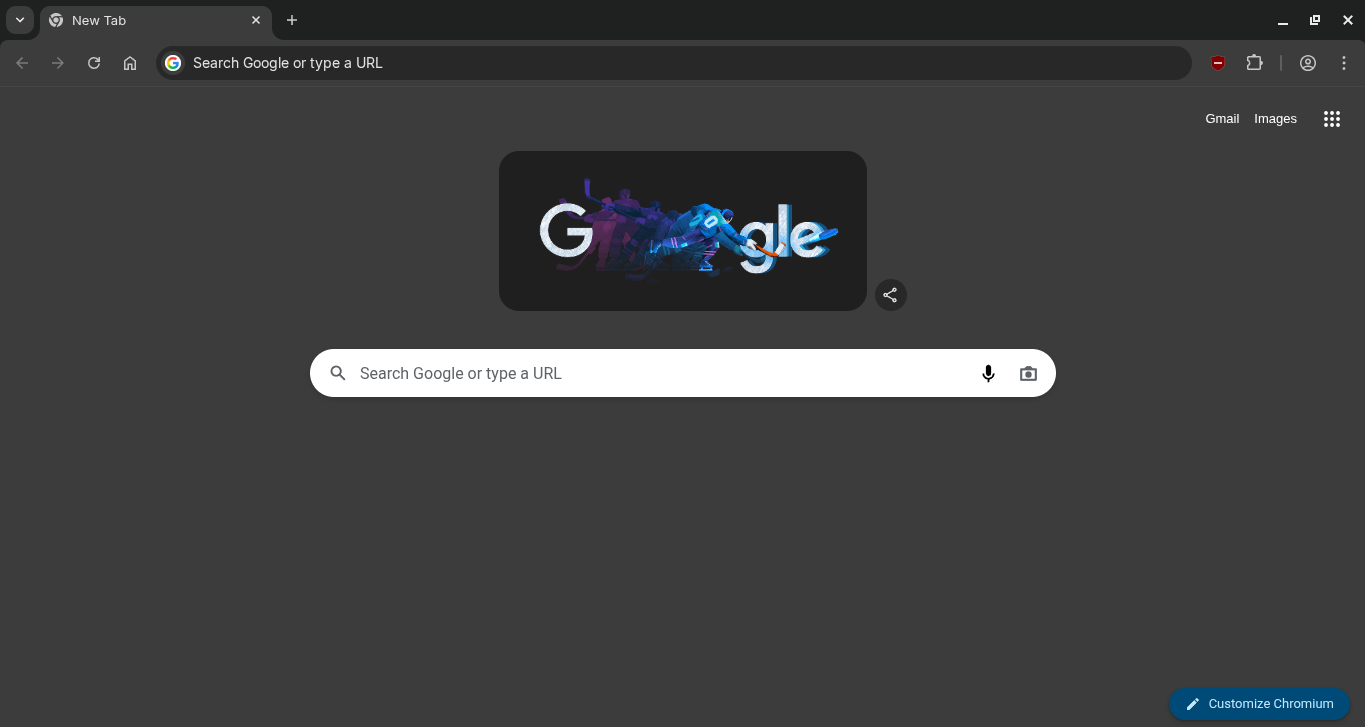
Blank New Tab
It may sound minor, but I open a lot of new tabs throughout the day. Seeing icons, news, weather, and other clutter every time gets distracting.
Brave:
Chromium:
Bottom Navigation Bar (Android)
The bottom bar lets me quickly switch tabs, open a new tab, add a bookmark, and access the menu. Reaching all the way to the top of the screen every time gets tiring.

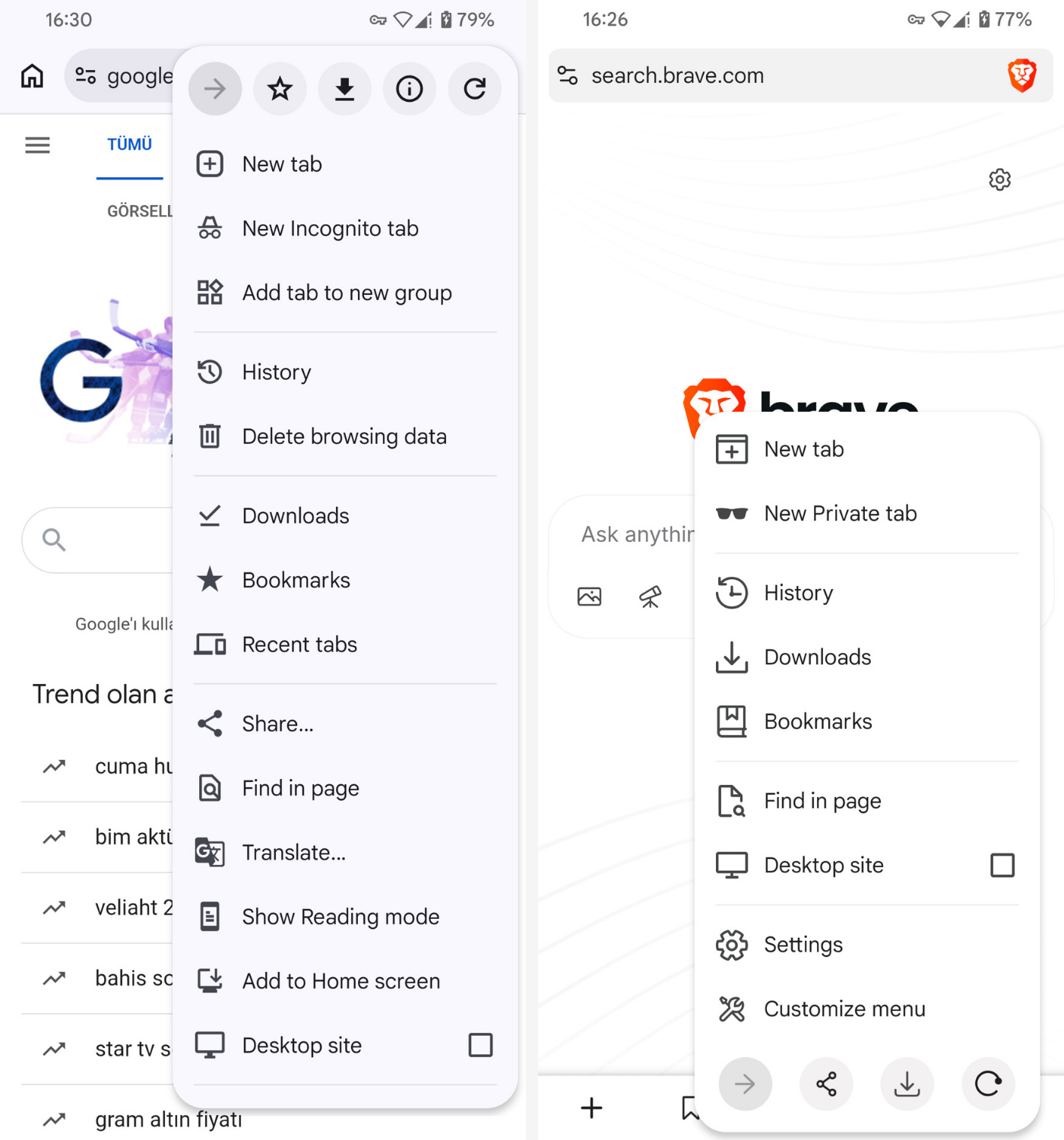
Menu Customization (Android)
Menu customization is one of my favorite recent additions. Chrome’s menu takes up the whole screen. In Brave, I can hide the things I don’t use. I hope this comes to the desktop version as well.
Background Playback (Android)
I try other browsers once in a while, and recently I gave Chrome another shot. Even with NextDNS blocking ads, I was reminded how annoying the web gets without a proper content blocker. I thought that was bad enough, until I opened a livestream on Kick and locked my screen.
The video stopped right away. It also stopped when I switched tabs. That’s when I realized background playback isn’t actually a standard feature everywhere. Brave includes it by default. On Firefox, I had to install an extension for it.
A Few Problems
- On Linux, Brave signs me out of everything a few times a year for no clear reason. The cookies still seem to be there, but the sessions are gone. Sometimes it happens when I first open the browser, and sometimes after an update. I still haven’t found a pattern.
- On Android, it signs me out of Google and Crypt.ee every few days. That seems to happen at random too.
- I like the Android option that shows an undo button after closing tabs, but it stays on screen for too long. It blocks whatever is underneath it, and I can’t dismiss it with a swipe.
Criticism and Brave’s Direction
If you look up why people dislike Brave, the same two complaints usually come up:
- The affiliate link scandal, where Brave injected referral links without telling users. That was a serious breach of trust.
- The browser is bloated with features most people don’t want.
I think Brave learned its lesson from the first one. On the second point, users are right to complain, but Brave also has a point: it needs a way to make money. Instead of quietly collecting and selling user data, it’s trying to make money through optional features.
More importantly, Brave seems to have listened. The company is now working on a new version called “Brave Origin.” According to Brendan Eich, it will be a stripped-down build without telemetry, crypto, wallet, VPN, or AI features. If it really ships for free on Linux, that would be great. I just hope the Android version gets sensible local pricing too.
I had considered building a Brave debloater myself, but it looks like I won’t have to.
Note: I didn’t include Brave-specific features like vertical tabs and the sidebar because I don’t use them.